Reports
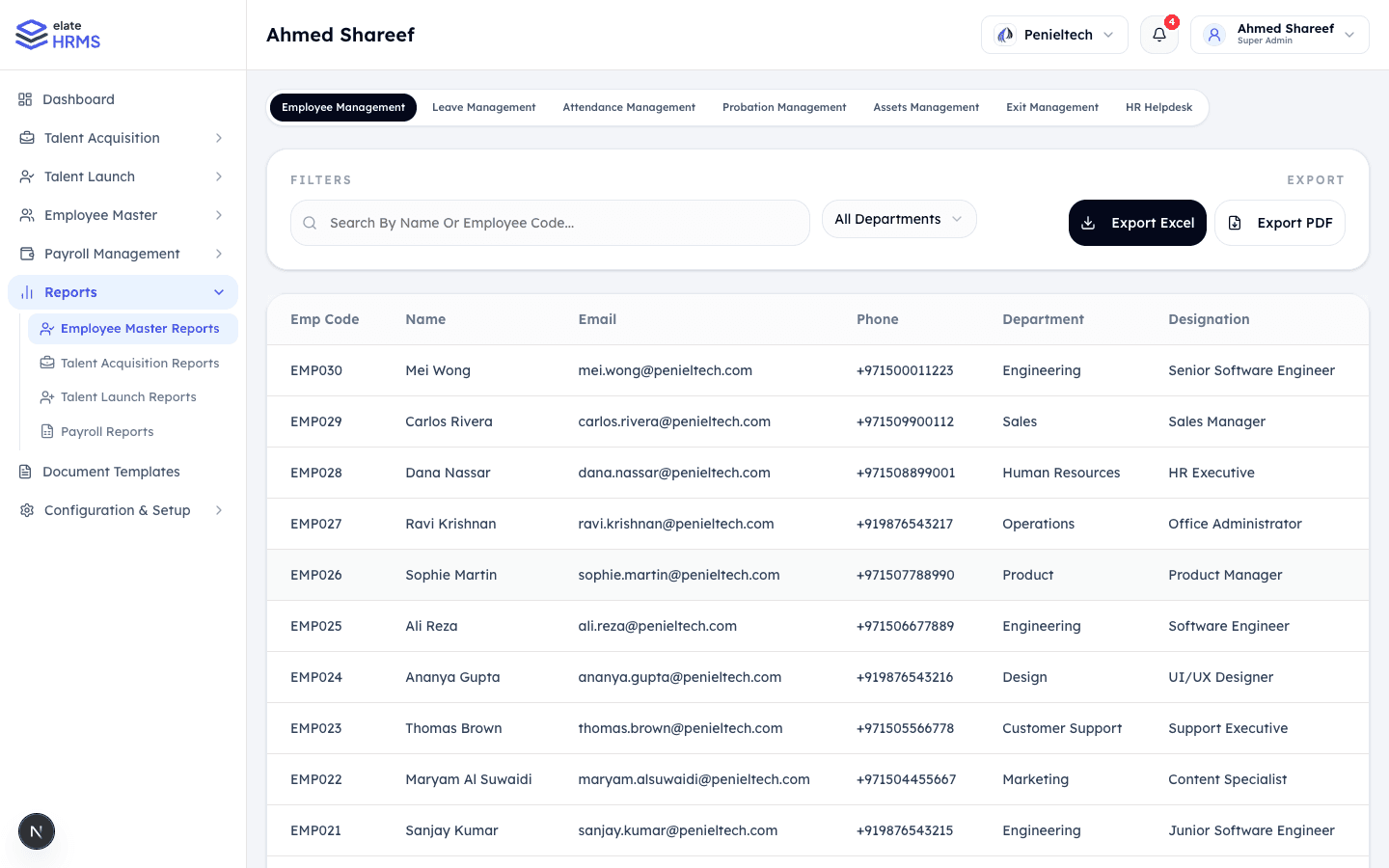
The Reports module provides exportable data across all active modules. Reports support filtering, searching, and export to Excel and PDF formats.
Report Categories
Reports are organized by sidebar section and by top-level tabs:
Employee Master Reports
Primary view with tabs for:
- Employee Management — Employee directory data (name, email, phone, department, designation, join date, status)
- Leave Management — Leave balances, usage, and history
- Attendance Management — Attendance records, punctuality, overtime
- Probation Management — Probation status and timelines
- Assets Management — Asset assignments and status
- Exit Management — Exit processes and attrition data
- HR Helpdesk — Ticket volumes and resolution times
Talent Acquisition Reports
- Recruitment pipeline metrics
- Job posting performance
- Candidate source analysis
- Time-to-hire statistics
Talent Launch Reports
- Onboarding progress tracking
- New hire conversion rates
- Onboarding completion times
Payroll Reports
- Payroll run summaries
- Salary component breakdowns
- WPS export data
- Loan and advance reports
- Expense claim summaries
Filters
Each report supports:
- Search — Filter by name or employee code
- Department — Filter by specific department
- Date Range — For time-based reports
- Custom filters specific to each report type
Export Options
| Format | Description |
|---|---|
| Export Excel | Download as .xlsx file with all filtered data |
| Export PDF | Download as formatted PDF document |
Export buttons are prominently displayed at the top of each report view.
Access Control
Report visibility is controlled by role:
- Super Admin / HR Admin — Access all report types
- Manager — Limited to team-specific reports
- Employee — No access to reports (views own data in respective modules)
Last updated on