Payroll Management
The Payroll module handles salary processing, salary components, payslip generation, and statutory compliance. It includes WPS (Wage Protection System) export support.
Required Plan: Pro or Premium
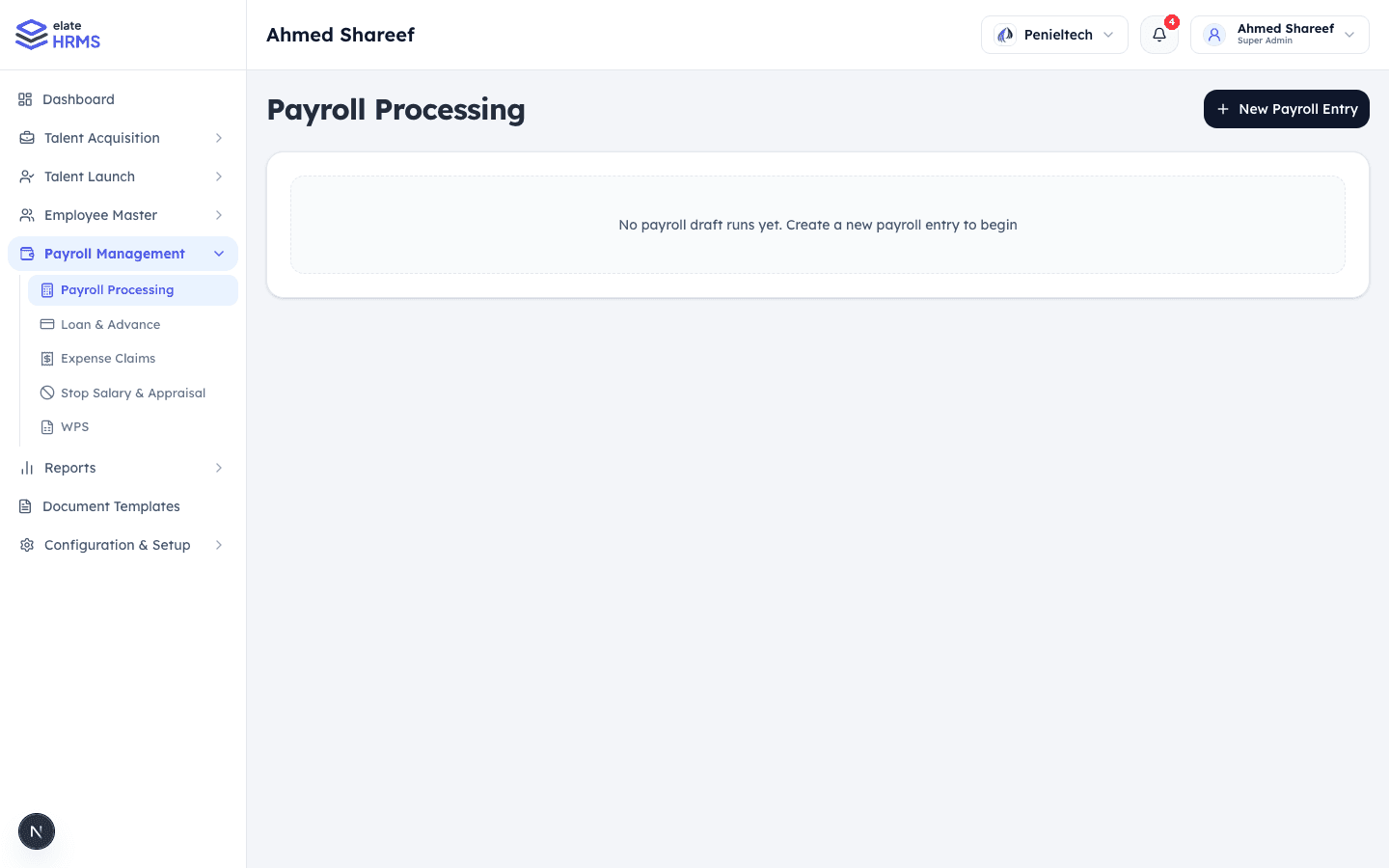
Sidebar Navigation
The Payroll Management section includes:
- Payroll Processing — Run and manage payroll cycles
- Loan & Advance — Employee loan management
- Expense Claims — Employee expense submissions
- WPS — Wage Protection System export
Salary Components
Before running payroll, configure salary components:
Earnings
- Basic Salary
- House Rent Allowance (HRA)
- Transport Allowance
- Special Allowance
- Custom earnings
Deductions
- Provident Fund (PF)
- ESI (Employee State Insurance)
- Professional Tax
- Income Tax (TDS)
- Custom deductions
Component Properties
Each component has:
- Name and type (earning/deduction)
- Calculation method (fixed amount or percentage of basic)
- Statutory flag (for compliance components)
Employee Payroll Setup
Each employee needs salary configuration:
- Go to the employee profile → Payroll Setup
- Configure CTC (Cost to Company)
- Set individual salary component amounts
- Components calculate automatically based on CTC structure
Running Payroll
Creating a Payroll Draft
- Navigate to Payroll Processing
- Click + New Payroll Entry
- Select the payroll period (month/year)
- Choose employees to include (all or filtered)
- System calculates salaries based on:
- Attendance records
- Leave deductions
- Loan installments
- Expense reimbursements
Reviewing a Draft
- View the complete payroll breakdown
- Check individual employee calculations
- Review earnings, deductions, and net pay
- Make adjustments if needed
Processing Payroll
- Once reviewed, click Process to finalize
- Generates salary slips for each employee
- Employees can view their salary slips under My Salary
Salary Slips
Employees access their salary history through the My Salary page:
- View current and past salary slips
- Download salary slips as PDF
- See detailed breakdown of earnings and deductions
WPS Export
For organizations in the UAE and similar regions:
- Export payroll data in WPS format
- Compatible with bank submission requirements
- Download WPS file for the selected payroll run
Payroll Configuration
Configure payroll settings under Configuration & Setup → Payroll Management:
ESI Settings
- ESI contribution rates
- Eligibility thresholds
PF Settings
- PF contribution percentages
- Employee and employer shares
Professional Tax
- State-based professional tax slabs
- Auto-calculation based on salary
Gratuity Settings
- Gratuity calculation rules
- Eligibility criteria
Last updated on