HR Helpdesk
The HR Helpdesk module provides an internal support ticket system where employees can raise queries and HR can manage and resolve them efficiently.
Required Plan: Premium
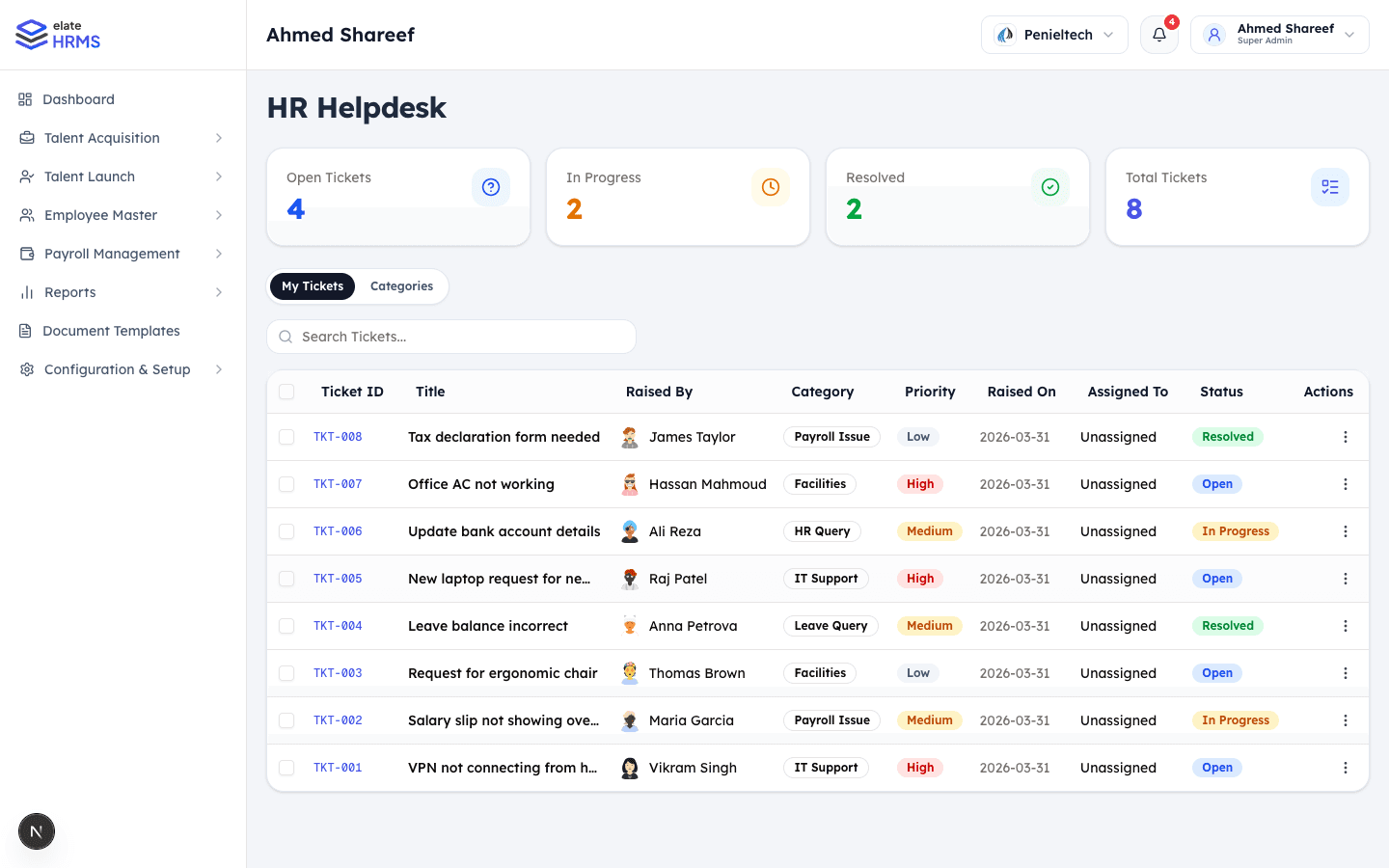
Dashboard
The Helpdesk page displays:
- Open Tickets — Active tickets waiting for resolution
- In Progress — Tickets being worked on
- Resolved — Closed tickets
- Total Tickets — All-time ticket count
Ticket Categories
Tickets are organized by category:
- Payroll Issue — Salary, deductions, or tax queries
- Leave Query — Leave balance or policy questions
- HR Query — General HR-related questions
- IT Support — Technical and system access issues
- Facilities — Office facilities and amenities
- Custom categories as needed
Ticket Properties
Each ticket includes:
| Field | Description |
|---|---|
| Ticket ID | Auto-generated (TKT-001, TKT-002, etc.) |
| Title | Brief description of the issue |
| Raised By | Employee who created the ticket |
| Category | Issue classification |
| Priority | Low, Medium, or High |
| Raised On | Date the ticket was created |
| Assigned To | HR member handling the ticket |
| Status | Open, In Progress, or Resolved |
Creating a Ticket
- Navigate to HR Helpdesk
- Click + New Ticket (or available from employee view)
- Fill in:
- Title describing the issue
- Category
- Priority level
- Detailed description
- Submit the ticket
Managing Tickets
For HR/Admins
- View all tickets across the organization
- Assign tickets to team members
- Change ticket status and priority
- Respond with messages in the ticket thread
- Resolve tickets with resolution notes
For Employees
- View their own submitted tickets
- Track ticket status
- Add follow-up messages
- See resolution details
Ticket Messaging
Each ticket has a conversation thread:
- Employees and HR can exchange messages
- Keeps all communication in context
- Notifications for new messages
Tabs
| Tab | Description |
|---|---|
| My Tickets | All tickets (filtered view) |
| Categories | Manage ticket categories |
Last updated on