Customized Calendar
The Calendar module provides an organization-wide view of important dates — birthdays, work anniversaries, holidays, and custom events.
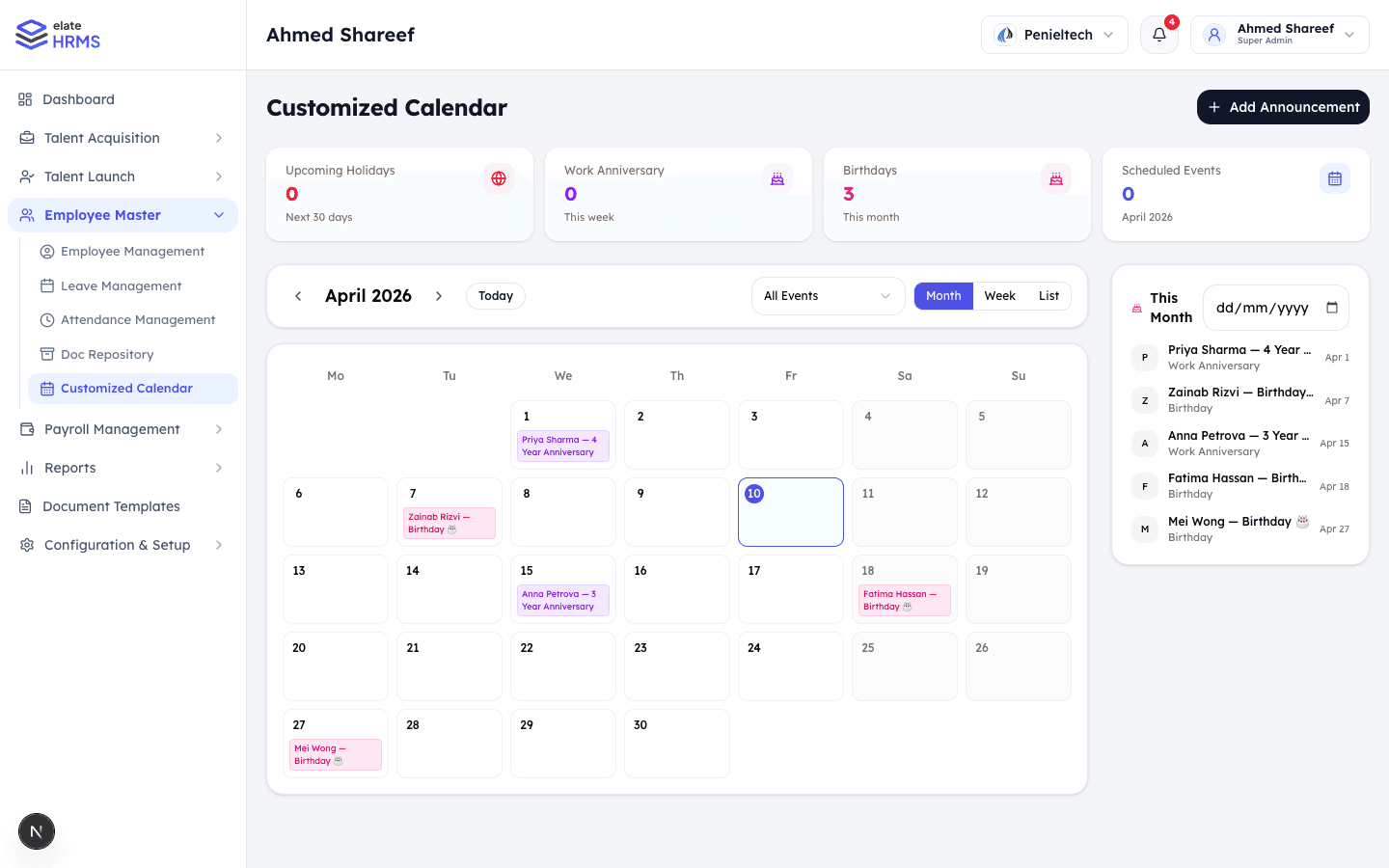
Dashboard Cards
The top of the calendar page shows:
- Upcoming Holidays — Public and company holidays in the next 30 days
- Work Anniversary — Anniversaries this week
- Birthdays — Employee birthdays this month
- Scheduled Events — Custom events for the current month
Calendar Views
Switch between different views:
Month View
- Full month grid with events displayed on their dates
- Color-coded events by type (birthdays, anniversaries, holidays)
- Click on a date to see all events for that day
Week View
- Detailed week view with time slots
- Better for seeing event density
List View
- Chronological list of all upcoming events
- Quick scan of what’s coming up
Event Types
| Type | Color | Source |
|---|---|---|
| Birthday | Pink/Red | Auto-generated from employee DOB |
| Work Anniversary | Purple | Auto-calculated from joining date |
| Holiday | Green | From holiday calendar configuration |
| Custom Event | Blue | Manually created announcements |
Sidebar Panel
The right sidebar shows This Month events in a list format:
- Employee name and event type
- Date of the event
- Quick overview without switching views
Adding Announcements
HR and admins can create custom events:
- Click + Add Announcement
- Set event title, date, and description
- Choose visibility (all employees or specific departments)
- The event appears on the calendar for relevant employees
Filters
Filter the calendar view:
- All Events — Show everything
- Birthdays — Employee birthdays only
- Anniversaries — Work anniversaries only
- Holidays — Company holidays only
- Custom Events — Admin-created events only
Last updated on