Attendance Management
The Attendance module provides comprehensive tracking and management of employee attendance, shifts, work-from-home requests, and overtime.
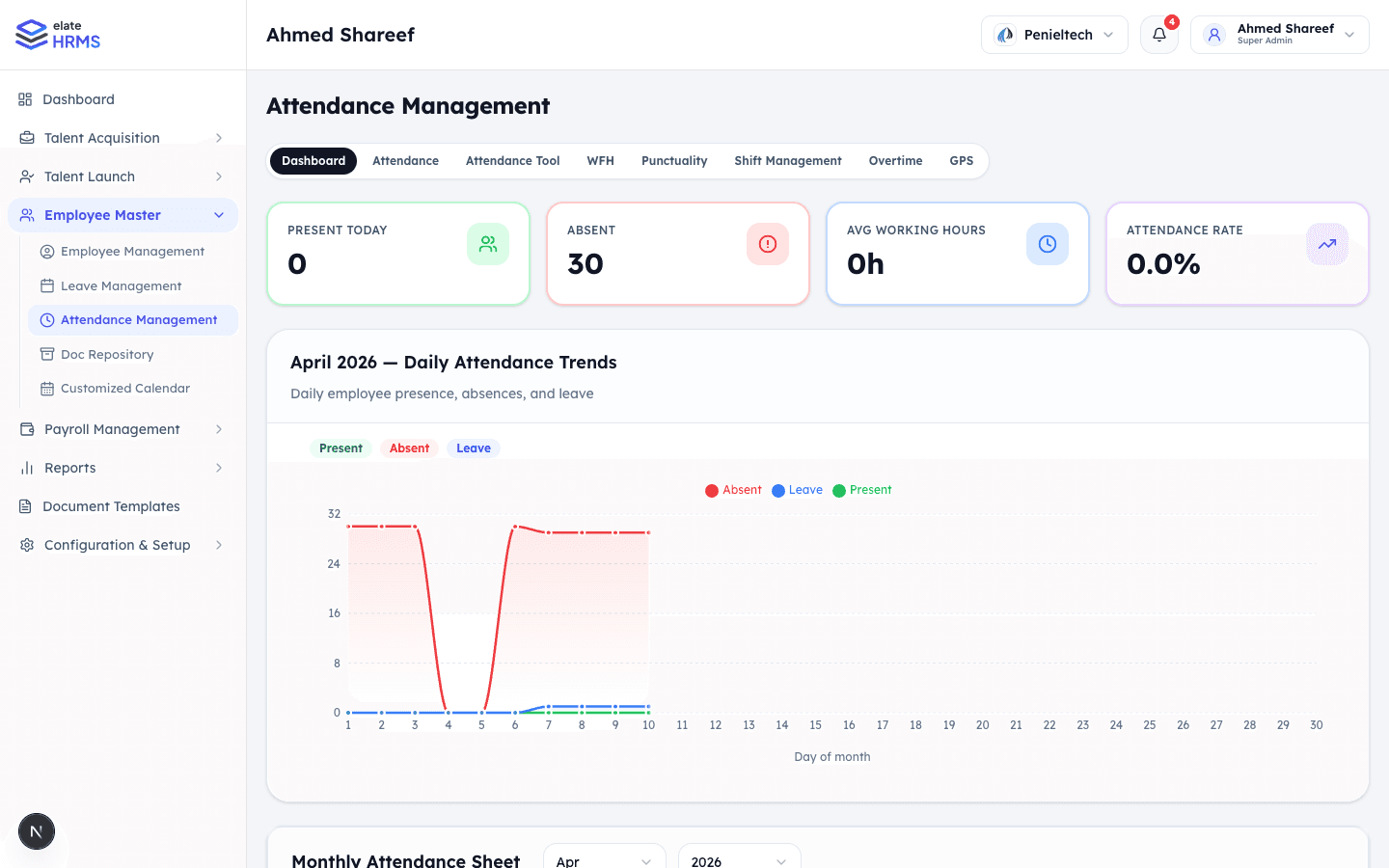
Dashboard
The Attendance Management dashboard provides real-time metrics:
- Present Today — Number of employees marked present
- Absent — Employees not yet checked in
- Avg Working Hours — Average hours across the workforce
- Attendance Rate — Overall attendance percentage
Daily Attendance Trends
A chart showing daily Present, Absent, and Leave counts across the current month with day-by-day breakdown.
Monthly Attendance Sheet
A grid view showing each employee’s attendance status for every day of the month with color-coded status indicators:
- P — Present
- A — Absent
- HD/A — Half day absent
- HD/P — Half day present
- L — Leave
- H — Holiday
- WO — Week off
Tabs
The Attendance module is organized into tabs:
Attendance Tab
- Daily attendance records for all employees
- Mark attendance manually or via integration
- Filter by date, department, and employee
Attendance Tool
- Bulk attendance marking
- Import attendance from external systems
- Quick mark attendance for multiple employees
WFH (Work From Home)
- Employees can submit WFH requests
- Managers/HR review and approve requests
- Track WFH days per employee
Punctuality
- Track late arrivals and early departures
- Set punctuality thresholds
- Generate punctuality reports
Shift Management
- Create and manage work shifts
- Assign shifts to employees
- Define shift timings (start, end, break)
- Rotating shift support
Overtime
- Track overtime hours
- Set overtime policies and rates
- Approval workflow for overtime requests
GPS
- GPS-based attendance verification
- Geo-fencing for office locations
- Track check-in locations
Attendance Regularization
When attendance records need correction:
- Employee submits a regularization request
- Provides reason (forgot to check in, system error, etc.)
- Manager or HR reviews and approves
- Attendance record is updated
Regularization requests appear as pending approvals on the dashboard.
Last updated on