Employee Management
The Employee Management module is the core of Elate HRMS. It serves as the centralized directory of all employees in your organization.
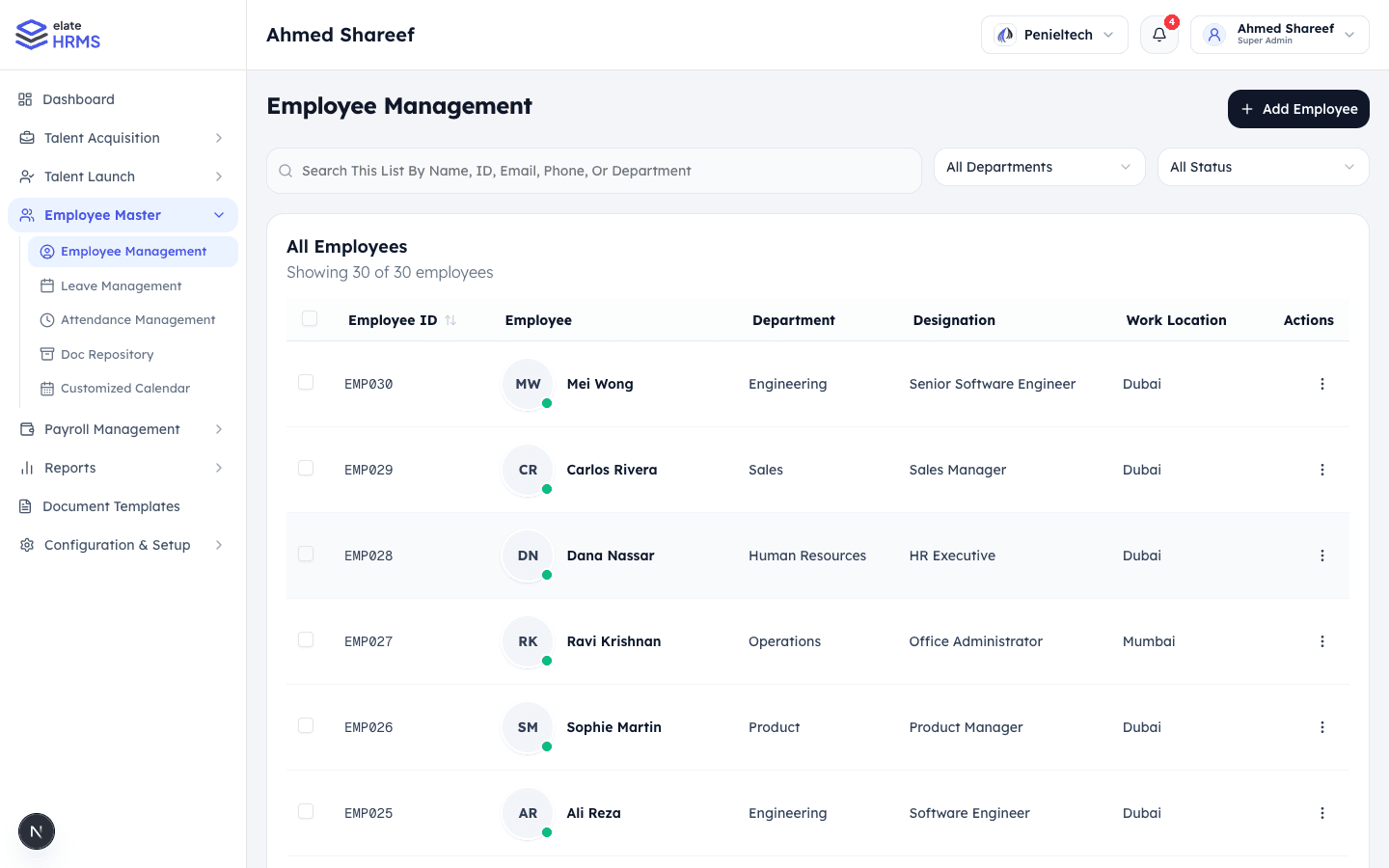
Features
Employee Directory
- View all employees in a searchable, filterable table
- Filter by department, status (active, inactive, on notice, etc.)
- Search by name, employee ID, email, or phone number
- Columns: Employee ID, Name, Department, Designation, Work Location
Employee Profiles
Each employee record contains comprehensive information organized into sections:
Personal Information
- Full name, date of birth, gender, nationality
- Contact details (phone, personal email)
- Emergency contact information
- Photo upload
Employment Details
- Employee ID (auto-generated or custom)
- Department and designation
- Work location and branch
- Joining date and employment type
- Reporting manager
Documents
- Upload and manage employee documents
- Document types: ID proof, address proof, certificates, contracts
- Document expiry tracking
Bank Details
- Bank name, account number, IFSC/SWIFT code
- Used for payroll processing
Salary Information
- Salary components and CTC breakdown
- Linked to payroll module when enabled
Adding an Employee
- Click + Add Employee on the Employee Management page
- Fill in the required fields:
- First Name, Last Name
- Email address
- Department
- Designation
- Joining date
- Optionally fill in additional sections (personal details, bank info, etc.)
- Click Save to create the employee record
Employee Actions
From the employee list or profile, you can:
- Edit — Update employee information
- View Profile — See complete employee details
- Manage Documents — Upload/download employee documents
- View Activity Log — See all changes made to the employee record
Document Repository
The Doc Repository is a centralized place to manage documents for all employees. Access it from the sidebar under Employee Master.
- Browse documents by employee
- Upload new documents with type classification
- Track document expiry dates
- Download or preview documents
Last updated on